
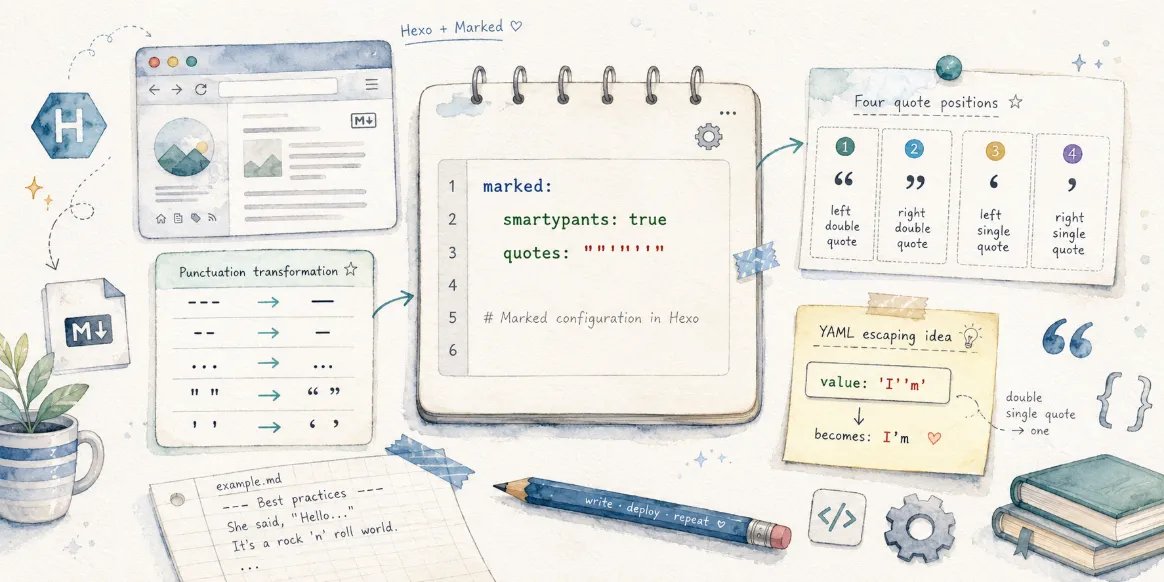
在新版本中,Hexo 的 Marked 渲染器支持了 smartypants 配置,可以自动将 Markdown 中的普通标点转换为更符合排版习惯的印刷体字符。
该功功能默认开启,影响的字符:
Em dash:
---→—En dash:
--→–Single quotation marks:
- Opening single quote:
'→‘ - Closing single quote and apostrophe:
'→’
- Opening single quote:
Double quotation marks:
- Opening double quote:
"→“ - Closing double quote:
"→”
- Opening double quote:
Ellipsis:
...→…
转换演示
源码字符
1 | --- |
转换效果
–
‘文本’
“文本”
…
引号部分
其中对于最常用的引号内容,会进行下面的转换,显示效果会受到字体的影响:
1 | "This is a quote." |
会被渲染为:
“This is a quote.”
这个字符与看起来中文的引号一致,在一些字体下不美观,尤其是进行英文写作时。如果不希望进行转换,除了直接禁用 smartypants 功能之外,还可以通过 quotes 配置自定义引号字符:
1 | marked: |
quotes 是什么?
quotes 用于指定四种引号字符,顺序分别为:
- 左双引号
- 右双引号
- 左单引号
- 右单引号
例如:
1 | quotes: '“”‘’' |
表示使用中文排版常见的弯引号。
而:
1 | quotes: '""''''' |
则表示继续使用英文直引号:
- 左双引号:
" - 右双引号:
" - 左单引号:
' - 右单引号:
'
这样即使启用了 smartypants,引号也不会被转换成弯引号。
为什么看起来有这么多 '?
很多人第一次看到:
1 | quotes: '""''''' |
都会疑惑:
为什么后面有这么多单引号?
原因在于 YAML 的单引号字符串语法。
在 YAML 中:
- 字符串可以使用
'...'包裹; - 如果字符串内部需要表示一个真正的单引号
',必须写成两个单引号''。
例如:
1 | value: 'I''m' |
实际表示的是:
1 | I'm |
因此:
1 | quotes: '""''''' |
可以拆解为:
1 | ' ← 字符串开始 |
最终字符串实际上就是:
1 | ""'' |
即:
""''
正好对应 quotes 所要求的四个字符。
常见配置示例
使用英文直引号(默认效果)
1 | marked: |
输出:
1 | "This is a quote." |
使用英文弯引号(Typography)
1 | marked: |
输出:
1 | “This is a quote.” |
使用法文引号
1 | marked: |
输出:
1 | « Bonjour » |
总结
smartypants 用于提升 Markdown 的排版质量,而 quotes 则允许你自定义四种引号字符。
需要注意的是,quotes 的值只有 四个字符,分别对应:
1 | 左双引号 右双引号 左单引号 右单引号 |
像 quotes: '""''''' 这样的写法,并不是有五个或六个单引号,而只是 YAML 为了表示两个普通单引号所采用的转义方式。




评论